FREE PDF · E-COMMERCE
WhatsApp Cart-Recovery Templates, Written for Approval
Twelve-plus copy-ready WhatsApp templates for cart recovery and post-purchase, written to Meta’s published template rules, with the setup and checks around them.
What’s inside
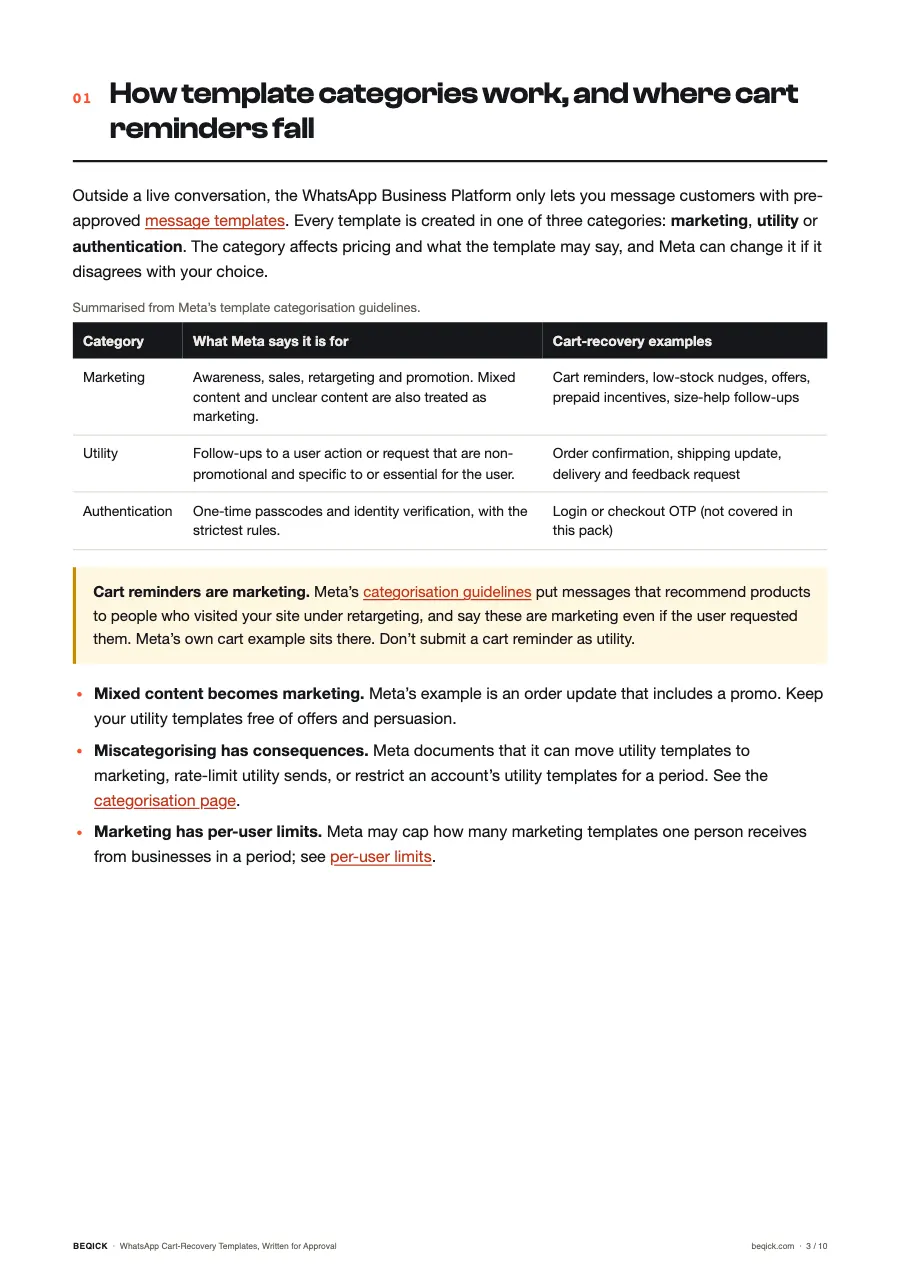
- 01How WhatsApp template categories work and where cart reminders fall
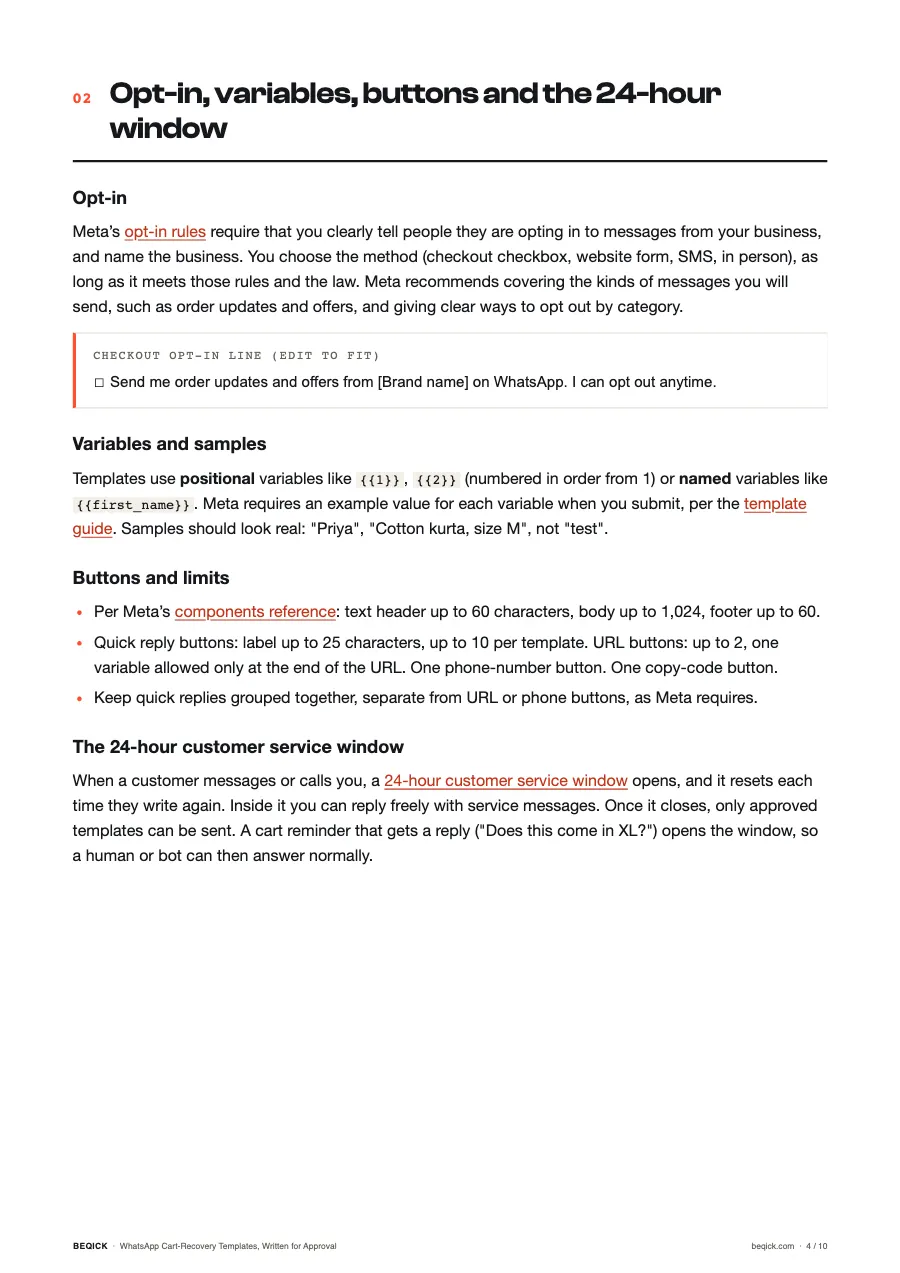
- 02Opt-in, variables, samples, buttons and the 24-hour customer service window
- 03A three-message recovery sequence with timing options to test
- 04Copy-ready reminder, low-stock and COD-to-prepaid templates
- 05Copy-ready size help, payment-failed and post-purchase templates
- 06Common rejection reasons, as documented by Meta
- 07A compliance checklist and a measurement worksheet
Who it’s for
- Shopify and D2C store owners in India who want to follow up abandoned carts on WhatsApp
- Marketers setting up WhatsApp Business Platform templates through a provider and unsure which category to pick
- Teams whose templates keep getting rejected and who want to know Meta’s documented reasons
Every platform rule in the PDF links to the official source it came from. Beqick prices are from the public rate card, ex-GST.
Questions
Marketing. Meta’s template categorisation guidelines treat messages that promote or recommend products to people who visited your site or app as retargeting, which is marketing even if the user asked for it. Meta’s own cart example sits under that heading.
No. They are written to follow the rules Meta publishes, such as no variable at the start or end and sample values for every variable, but Meta reviews every template and decides the category and approval. Edit them for your brand and submit them yourself.
Only to people who have opted in to receive messages from your business. Meta requires the opt-in to clearly state that the person is opting in and to name your business. Collect it at checkout or signup and make opting out easy.
When a customer messages or calls you on WhatsApp, a 24-hour window opens and resets each time they message again. Inside it you can reply with normal service messages. Outside it, you can only send pre-approved templates.
Beqick’s Community Automation service (comments, DMs and escalations, automated plus human) is listed as coming soon on the public rate card. WhatsApp provider and platform fees are always billed to you directly by those providers.